
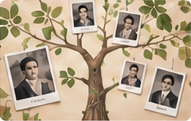
Yearbooks, gravestone photographs, birth and naturalization records: those are among the finds Scott Melker described after researching his family history with Grok Bot and ChatGPT on October 27.
An old document can give you somewhere to begin. A town, an approximate date or a question about one ancestor can do the same. Pick the person you’re curious about and follow that thread.
Give the research somewhere to start
ChatGPT Deep Research can work through public websites and uploaded documents, then bring its findings together in a report with source links. That gives you a trail back to the records behind each connection.
Add what you already have, including alternate spellings, approximate dates and known relatives. Ask a specific question: Where did this person live before moving? What can we find about their arrival? Does this photograph connect to a school or town?
Start the search
“Research [ancestor’s name], who lived in [place] around [year]. I know [facts] and have attached [document or photo]. Help me answer [question]. Link the records you use, distinguish confirmed connections from possibilities, and suggest the most useful next record to look for.”
Make something your family will want to open
Once you have a few discoveries, turn them into a short illustrated family history: a simple tree, a timeline, photographs and three interesting stories, with links to the records. Save it as a PDF and share it by email or in the family group chat. Invite relatives to add corrections, memories and photos of their own.
“Turn this research about [family or ancestor] into a short illustrated family history for my relatives. Include a simple family tree, a timeline and three interesting stories, with links to the records behind them. Use [photos I’ve supplied]. Mark uncertain connections and leave out private details about living relatives. Format it so I can save it as a PDF.”
Send it with a question: “Does anyone remember this house?” A record gives you a date. Someone in the family may have the story that goes with it.
Try your version
Copy the context and a small first step. Your agent will ask for missing details.